
From Aging Phone System to Microsoft Teams
How a Southern California real estate firm moved off an aging phone system in two stages, keeping every number and its fax line.
Can a small business replace its phone system with Microsoft Teams?
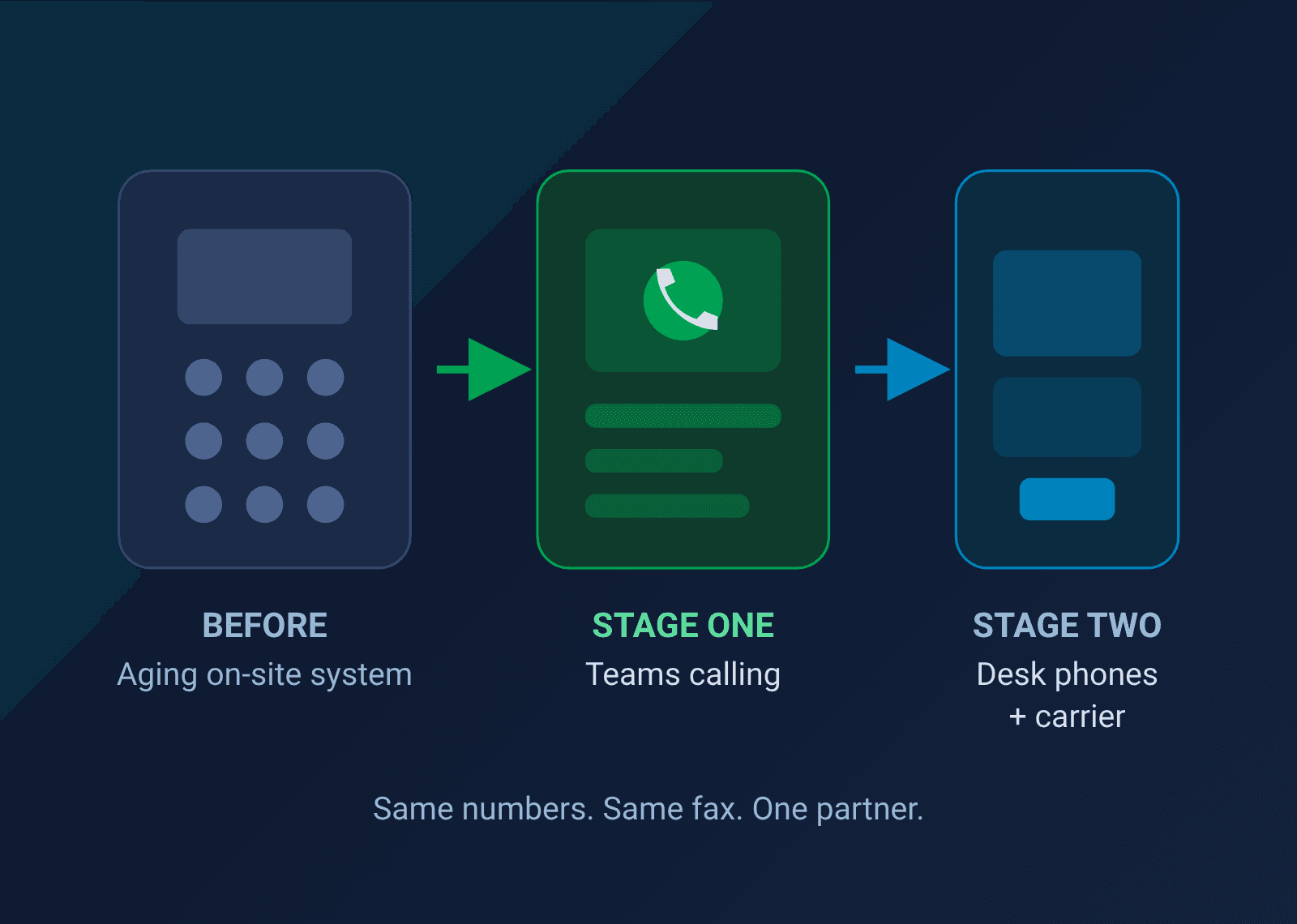
Yes. If you already pay for Microsoft 365, Teams can handle your calls, your auto attendant and your voicemail, and you keep the phone numbers your clients already know. You also don't have to change everything at once: the firm in this case study moved to Teams calling first, then added desk phones and a dedicated voice carrier when the business needed them, without starting over.
At a glance
- Industry: Family-owned commercial real estate, Southern California
- Locations: A main office and a second site
- Challenge: An aging phone setup, a fax line they couldn't lose, and no in-house IT
- Approach: Stage one: Microsoft Teams calling. Stage two: a voice carrier and desk phones, with Teams still at the center
- Result: Same phone numbers, fax still working, one point of contact, and staff who manage their own call settings
The problem: a phone system nobody wanted to touch
This client is a family-owned commercial real estate firm in Southern California. They run a lean office, a second location, and a business that lives on the phone: tenants, brokers, lenders and contractors all call in.
Their phone setup was an older on-site system that was getting harder to keep running. They also still depended on a fax line for documents that couldn't wait.
Here's what I hear from owners in this spot. The old system is a headache, but it's a predictable headache. The fear isn't the new technology. It's the switch itself: missed calls, a number that stops ringing, a fax that never arrives on closing day. So, they put it off.
That's the decision this firm brought to us. Not "what's the best phone system," but "how do we get off this one without breaking the business?"
Stage one: Teams calling, built on Microsoft 365
The firm was already on Microsoft 365. That made Microsoft Teams calling the shortest, lowest-risk path off the old system: add Teams calling licenses, no new hardware, no new app for staff to learn, and the phone system lives in the same place as their email and meetings.
What we did:
- Kept every number. We ported the existing phone numbers over, so clients and vendors kept calling the same numbers they always had.
- Kept the fax. Instead of dropping the fax line, we moved it to a cloud fax service and ported that number too.
- Set up emergency calling addresses. With internet-based calling, 911 needs to know where a caller actually is. We configured that before go-live, not after.
- Built an auto attendant. Callers hear a greeting and a short menu that routes them to the right person.
- Brought the second location onto the same system. One phone system, both offices.
- Trained the office administrator to manage call routing herself. When someone's out or a schedule changes, she makes the change. No ticket, no waiting.
The moment that matters
During go-live, the auto attendant setup kept failing. The configuration was right; the problem was on Microsoft's side.
This is where a lot of businesses get stuck in a loop between vendors. We opened the case with Microsoft and stayed on it until their team found and cleared the error on their end. Then we rebuilt the auto attendant, tested it, and the system went live.
The client never sat on hold with Microsoft. That's the job.
Stage two: desk phones and a voice carrier, when the business was ready
Two years later, the firm's needs had grown. The next step was dedicated desk phones and a carrier-backed voice service, with Teams still at the center of how they work.
This is the advantage of going in stages. Stage one wasn't a dead end. It was the foundation stage two was built on.
What we did:
- Handled the porting paperwork. We prepared the number transfer authorization with leadership, so the switch to the new carrier was clean.
- Connected the carrier to Teams. Teams and the new desk phones work as one system, not two.
- Installed the desk phones on site. We worked side by side with the carrier's network team to get every phone online and every call route confirmed.
- Tested before cutover. Every extension was tested before the numbers moved. Nothing went live on hope.
- Added users mid-project. When leadership asked to bring more people onto Teams calling, we added them without slipping the cutover.
- Set up voicemail and the main greeting. We gave leadership what they need to change the main line greeting themselves.
Why it worked
None of this is exotic technology. What made the difference is how the work was run.
- One accountable partner. Microsoft, the voice carrier and the fax provider each own a piece of a modern phone system. We dealt with all three, so the client dealt with one.
- Nothing went live untested. Lines, extensions and call routes were checked before cutover, every time.
- Control went to the client. The office administrator manages call routing. Leadership changes the main greeting. Routine changes don't wait on IT.
- Spending matched need. Stage one built on the Microsoft 365 subscription they already had, adding only Teams calling licenses. Stage two was bought when the business actually needed desk phones, not years ahead of time.
If you're holding off on a phone upgrade because switching feels risky, that's the same fear that keeps businesses with IT they've outgrown. We wrote about it here: How to Switch IT Providers Without Downtime.
Is a staged phone upgrade right for your business?
A staged move fits most small and mid-sized businesses that want off an old system but don't want to bet the business on one big cutover.
Here's how we approach business phone systems with Microsoft Teams Phone.
You're probably ready for stage one if:
- You already use Microsoft 365
- Your phone hardware is aging or hard to get serviced
- Your team is small, remote, or split between locations
You're probably ready for stage two if:
- Staff want physical desk phones
- You have a front desk or reception workflow
- You want a dedicated voice carrier behind your main numbers
Four questions to ask any IT provider before you switch:
- Who handles it when Microsoft or the carrier has a problem: you or us?
- Do we keep every phone number, including fax?
- What gets tested before cutover, and who signs off?
- Who trains our staff, and what can they change without calling you?
If the answers are vague, keep looking.
Frequently Asked Questions
Yes. Existing numbers can be ported to Teams, including main lines and direct lines. Porting requires a signed authorization from the business, and your IT provider should handle the paperwork and the timing.
It doesn't have to go away. A fax number can be ported to a cloud fax service, so faxes keep arriving. Staff send and receive them digitally instead of at a machine.
No. Many teams answer calls in the Teams app on a computer or mobile phone. Desk phones are an option you can add later, which is exactly what this firm did.
It depends on how many numbers are being ported, how many locations are involved, and whether new hardware is part of it. Number porting is usually the step that sets the timeline, so start it early.
Yes. We're based in Orange County and support businesses across Los Angeles and Southern California. Teams calling is cloud-based, so we support clients nationwide too.
Still running on a phone system you're afraid to touch? You don't have to replace everything at once. Book a call with Tom and we'll map out which stage fits your office, what it takes to keep your numbers and your fax, and what the switch looks like for your team. No cost, no obligation.
HD Tech: Your Cyber Lifeguard, Always On Duty.
Ready to get off your old phone system without breaking anything?
Book a call with Tom. Fifteen minutes. No jargon, no sales pitch.